See what's inside
Everything here is included in one subscription, and in your 5‑day free trial.. Already using another system? You can import your staff, clients and shifts to get started straight away.
Start every client and staff member properly.
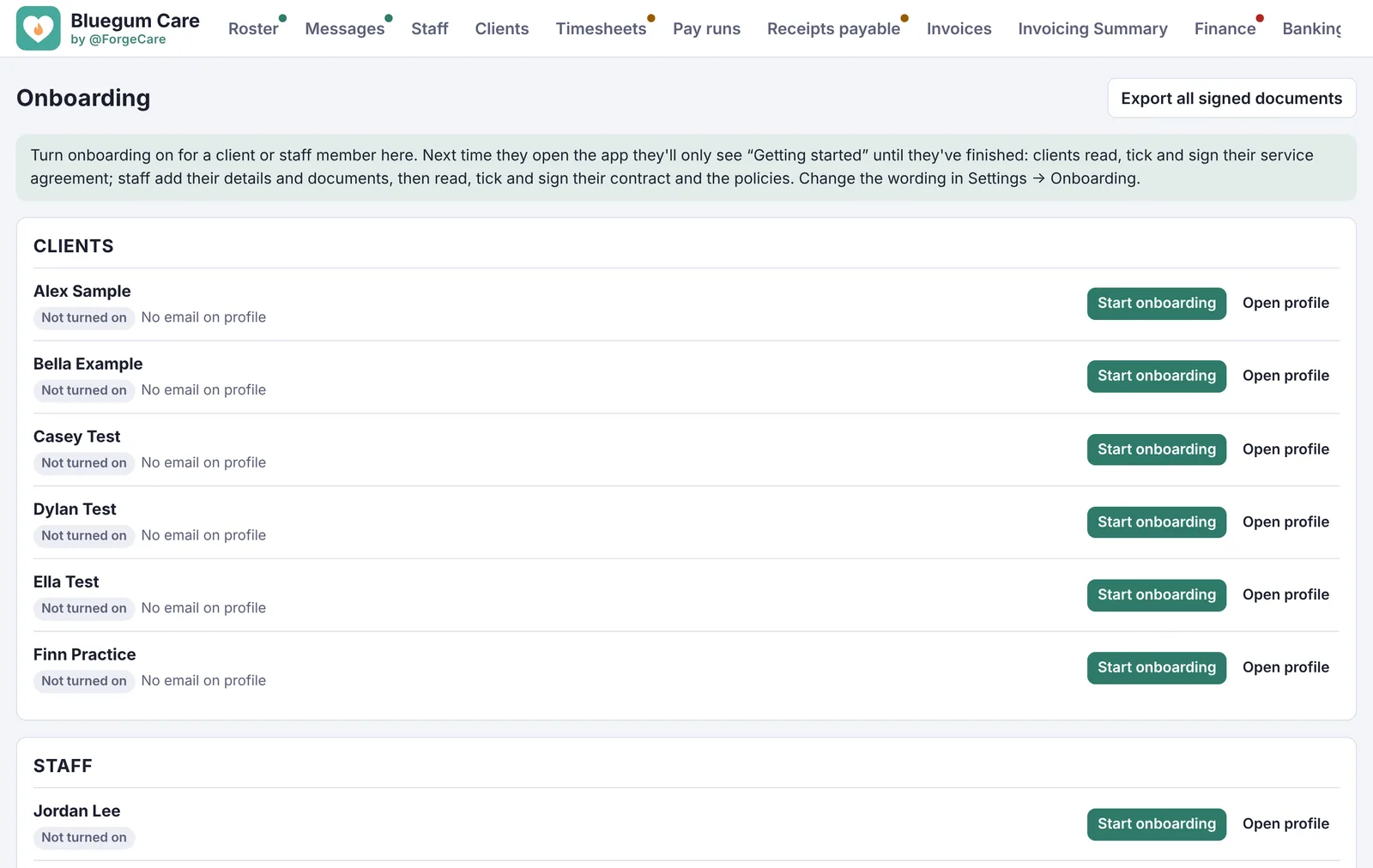
Onboarding. Turn on onboarding and the next time they open the app they're walked through it before anything else.
- Clients read and sign their service agreement, section by section
- Staff add their details, bank, super and tax, then sign their contract and your policies
- Casual, part-time and full-time contracts, each with your own wording
- Export everything signed in one go for your audit
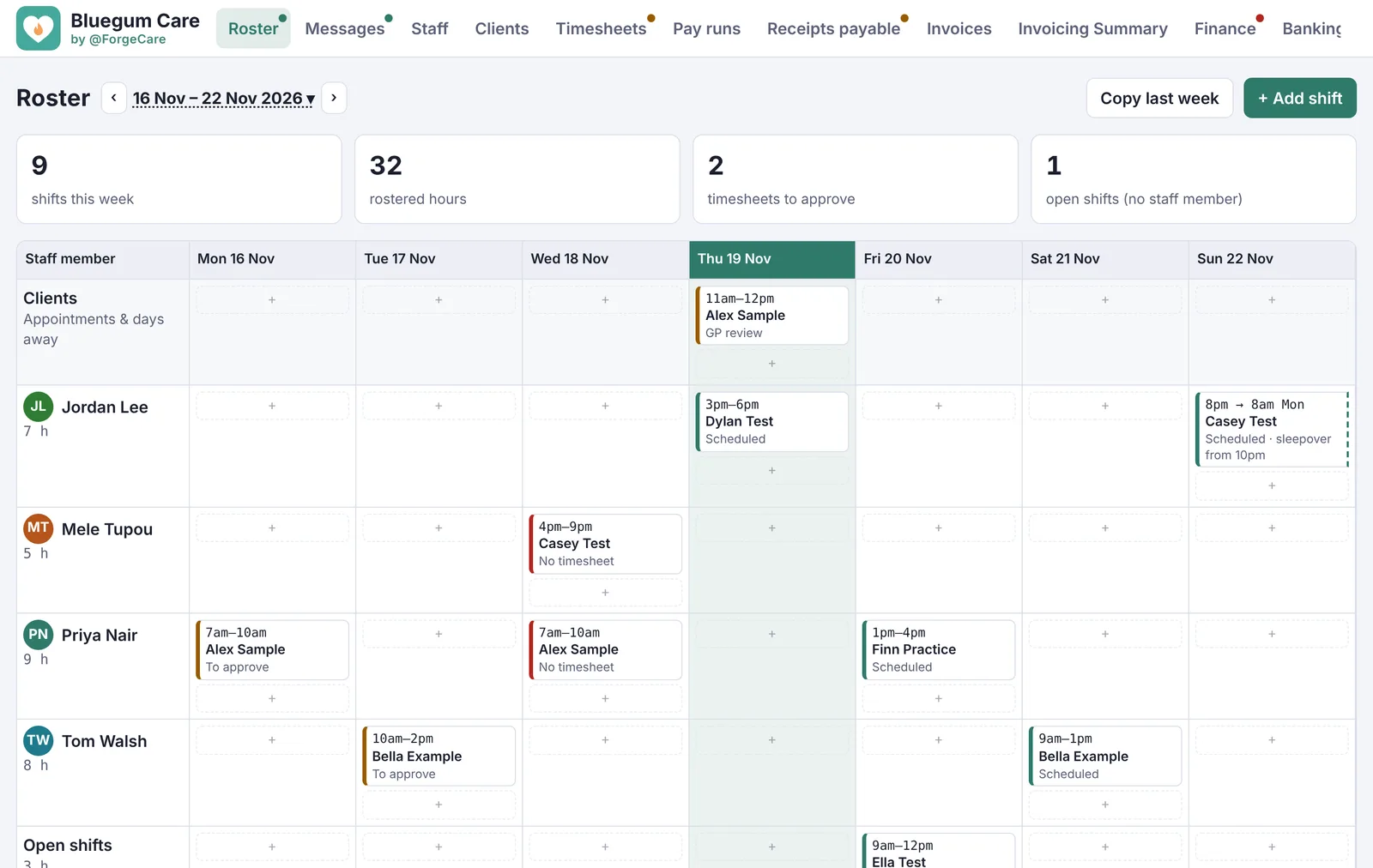
The week, by staff member and day.
Rostering. Add a shift in a few taps, repeat regular shifts, or copy last week. Open shifts and sleepovers are handled.
- Requests from clients and staff land under the roster
- Staff documents about to expire are flagged there too
- So is anything in a progress note that needs following up
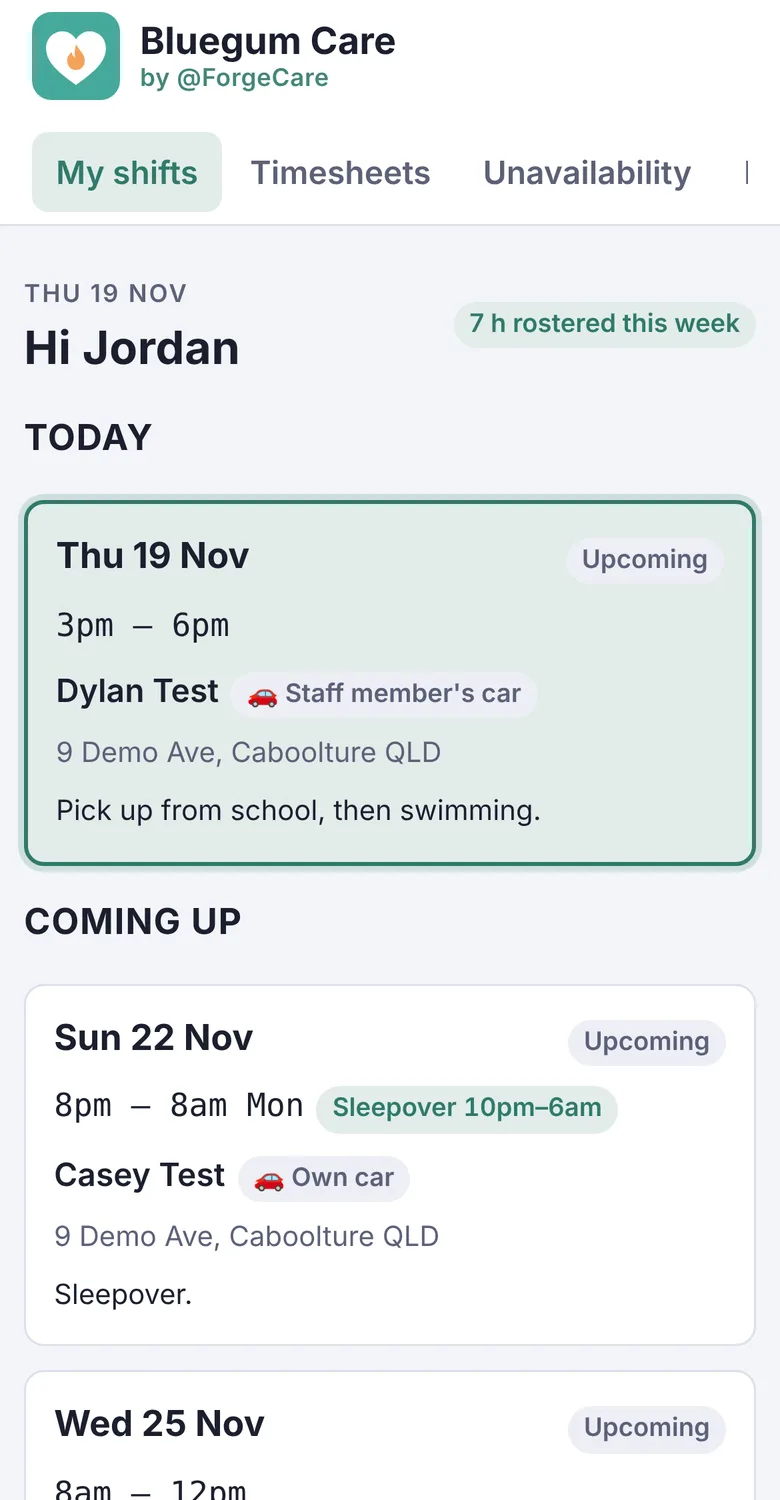
Everything a support worker needs, on their phone.
Staff app. Staff sign in with Face ID and see only their own shifts and the clients they work with.
- The address, client details and what to know for each shift
- The timesheet sent from the shift, with times, km and receipts
- Progress notes with the client's goals to tick
- Unavailability, leave requests and their own documents
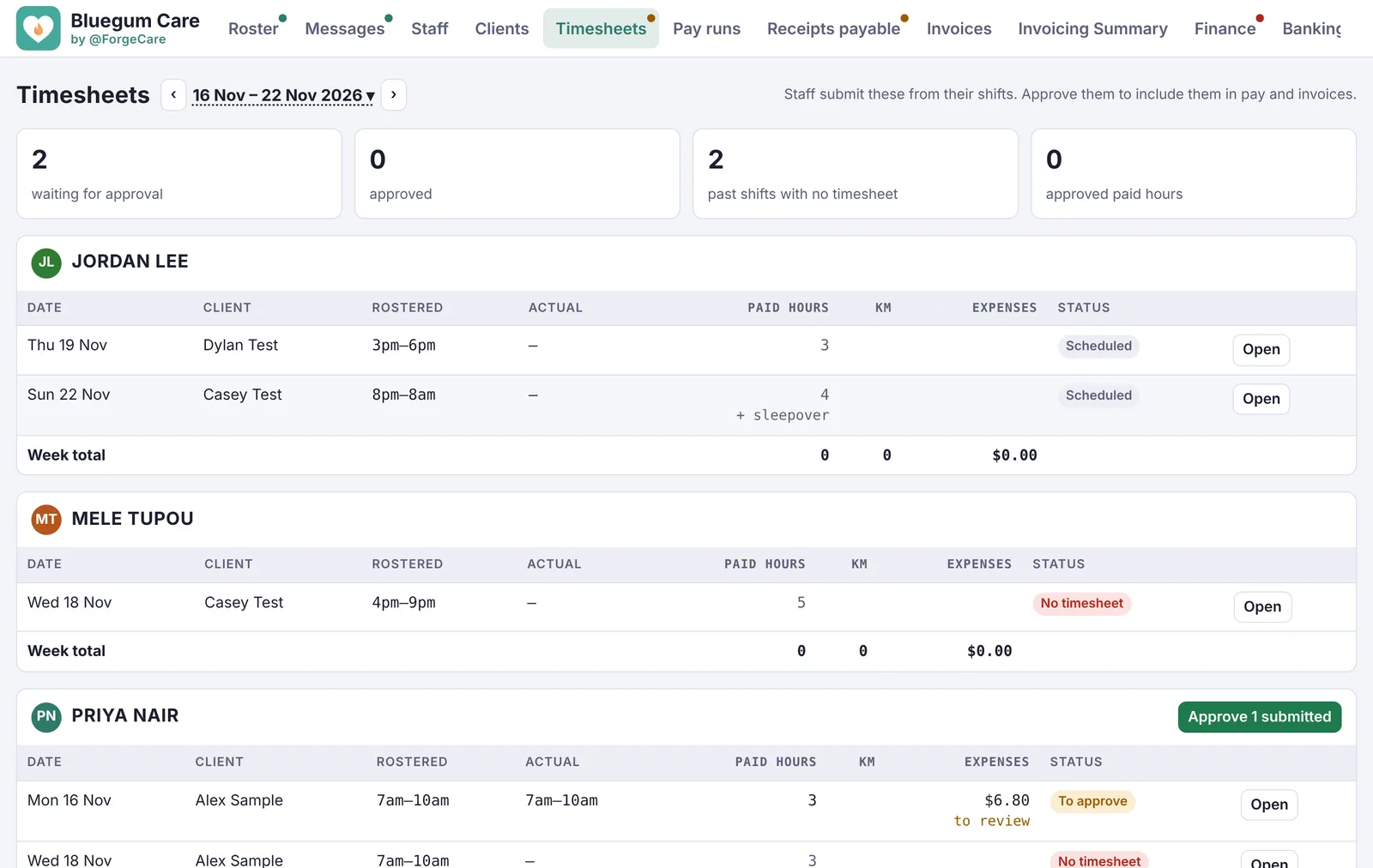
Check the week's work in one place.
Timesheets and progress notes. Each timesheet comes with the progress note, kilometres, receipts and photos from the shift. Approve one at a time or a whole person's week at once.
- Approved timesheets flow straight into the pay run and the invoices
- A checker reads each note for medication changes, incidents and concerns
Pay runs that build themselves.
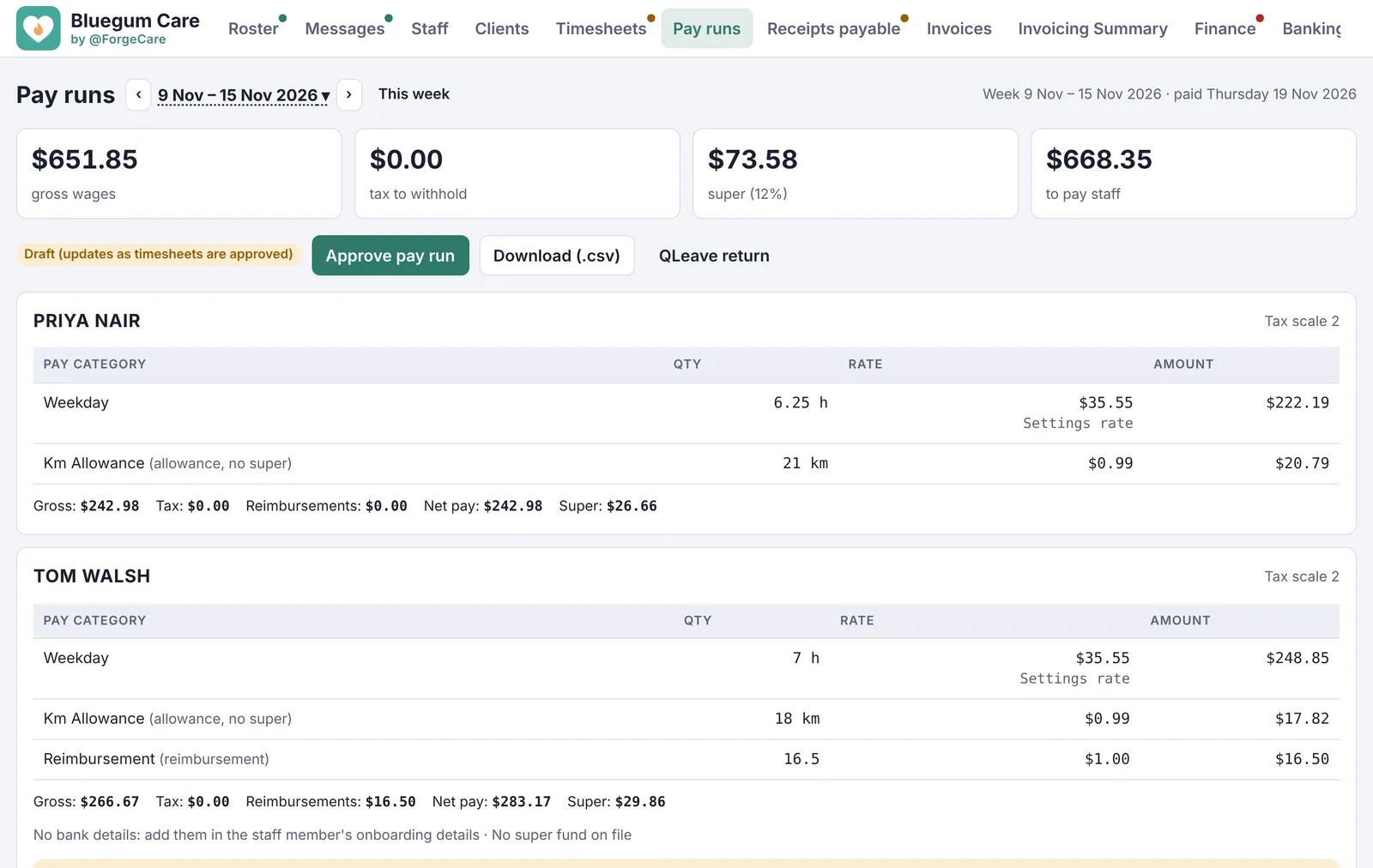
Pay runs. Approved timesheets become a pay run at SCHADS award rates, with penalties, overtime, sleepovers, allowances and leave already worked out.
- Approve, and payslips are emailed to staff
- STP lodged with the ATO from the app coming soon
- Super paid to each staff member's fund coming soon
- The bank file and the QLeave return, ready to go
The week's invoices in one click.
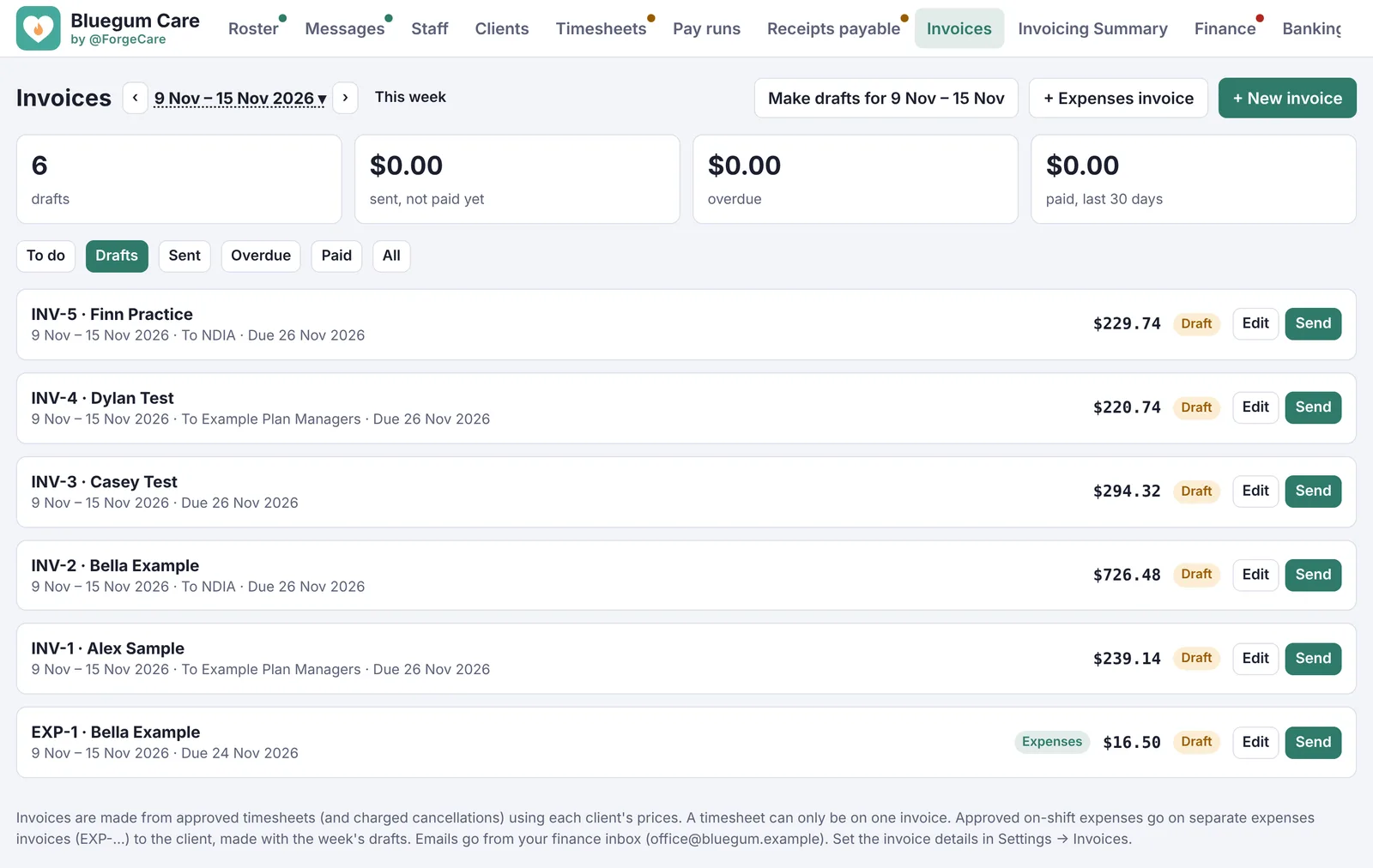
NDIS invoicing. Every approved shift becomes an invoice line at the client's NDIS prices, one invoice per client, to the NDIA, their plan manager or the client.
- Check and edit the drafts, then send them from your own Outlook or Gmail
- Expenses invoices for anything charged back to a client
- Sent, overdue and paid tracked for you, and matched from your bank
Know where the money is, and where it's going.
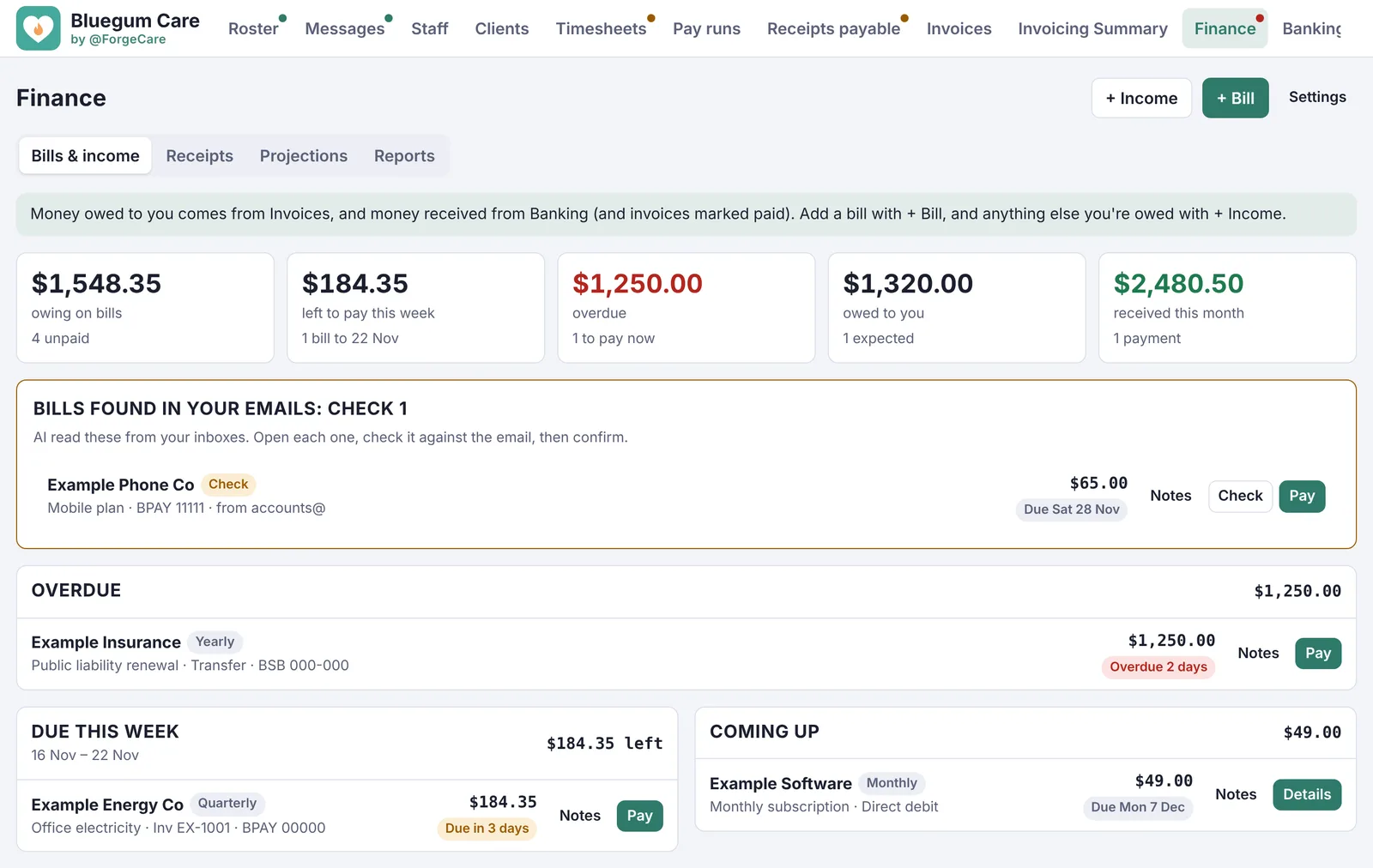
Finance and banking. Bills and income in one place, with what's due this week, what's overdue and what you're owed.
- Bills found in your emails, ready to check
- Your bank statement matched to invoices and bills
- Projections of your balance in the weeks ahead
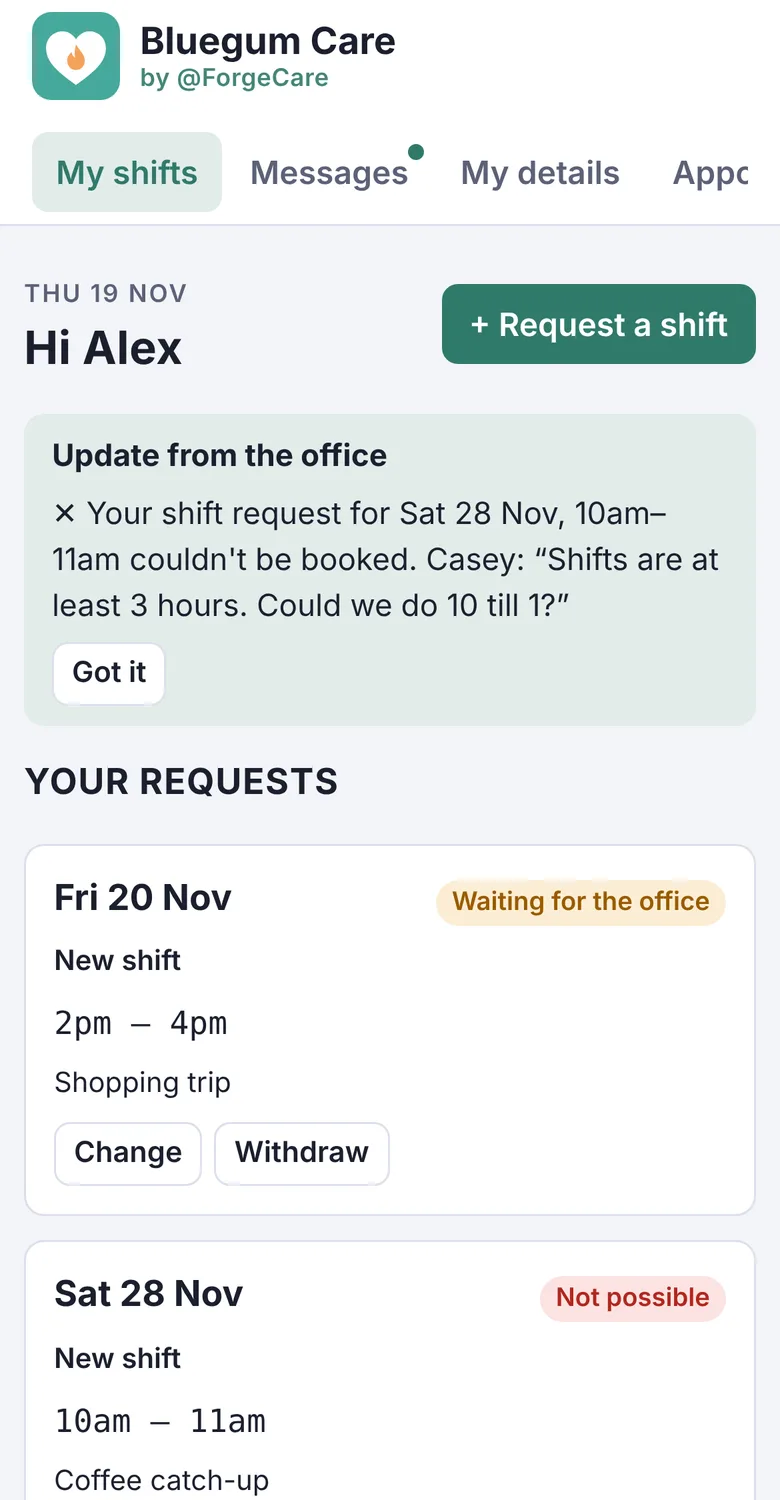
Every client's details, and an app of their own.
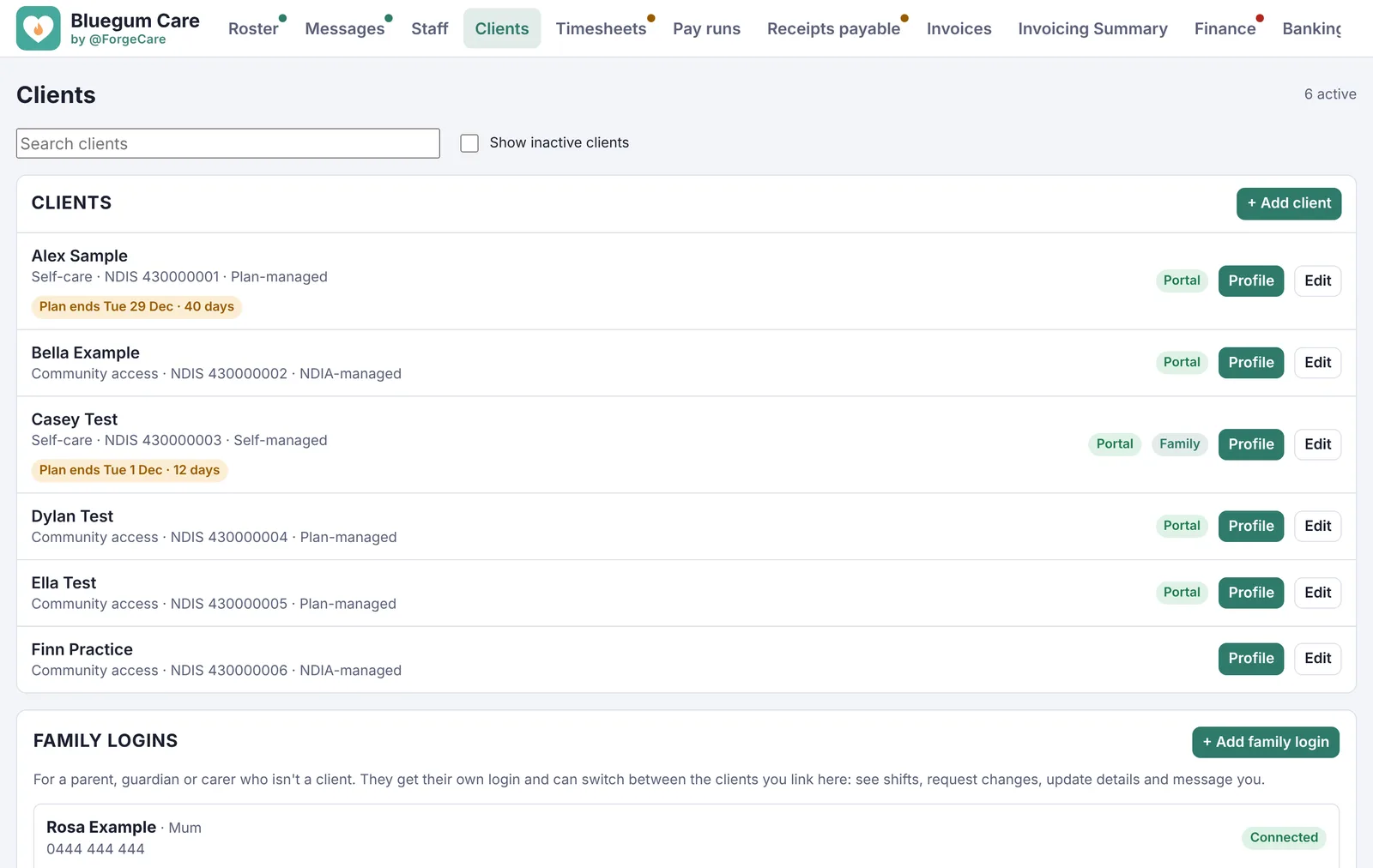
Clients and families. Client profiles hold their plan, goals, health, medications and contacts. Staff see what they need for each shift and nothing more.
- Clients and families see who's coming and when
- They request shifts and changes from their phone
- Family members and carers can have their own login
Reports that start themselves.
NDIS reports. Progress reports and plan reassessment reports, ready when the plan review comes around.
- The client's details, goals and hours of support are filled in for you
- Each section has prompts, and you can use your own headings
- A reminder appears under the roster when a plan is close to ending
- Download as PDF with your logo, or as Word
How a report comes together
- A plan end date is getting close, so a reminder appears.
- Open the client and start a progress or plan reassessment report.
- Their goals, progress notes and hours are already in it.
- Write in your own words, then download it for the NDIS.
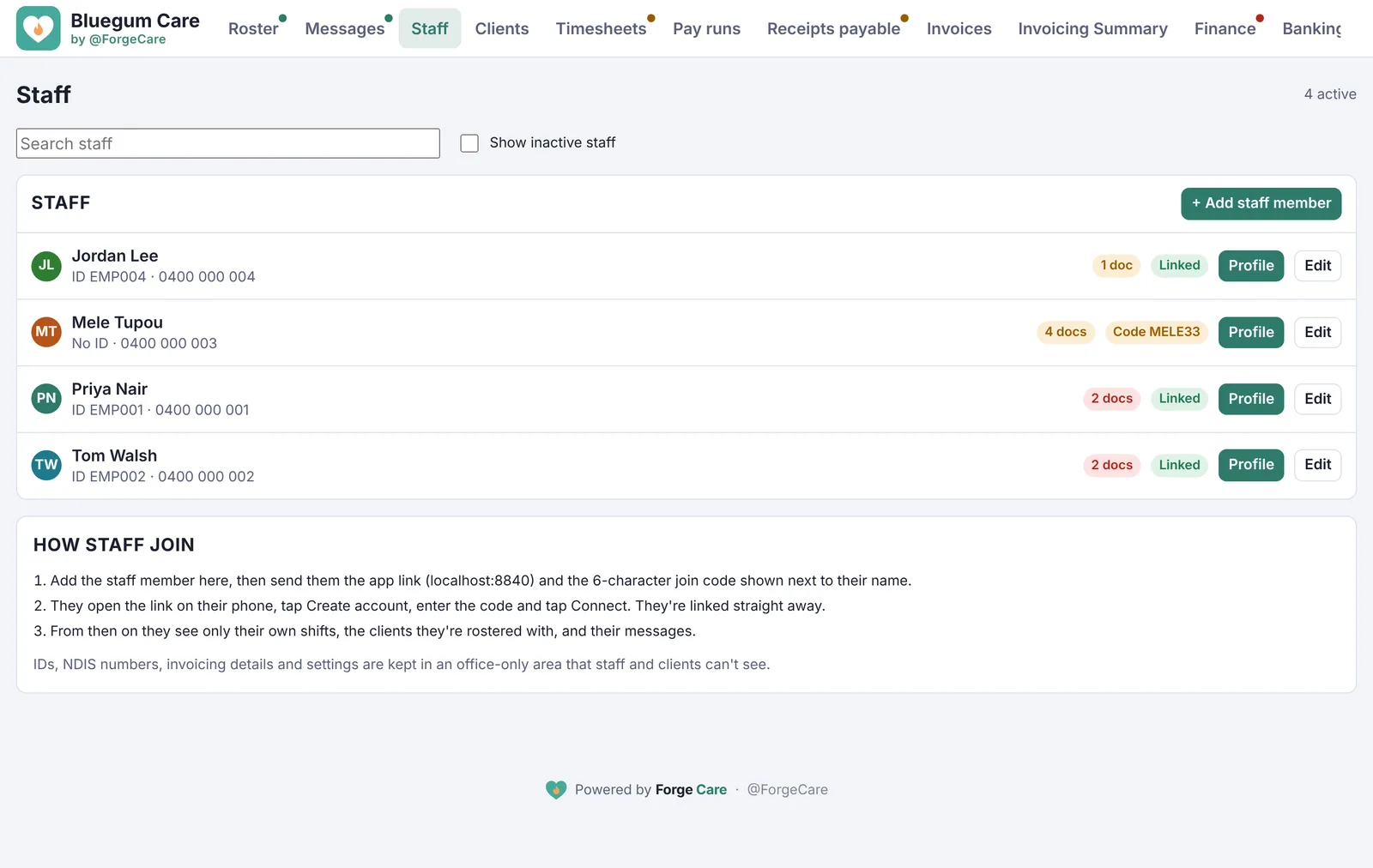
Stay audit-ready without the spreadsheet.
Staff and compliance. Every staff member's documents, with expiry dates tracked and reminders sent before they run out.
- Blue Card, NDIS Worker Screening, First Aid, CPR, car insurance and more
- An incident and hazard register, kept open until it's dealt with
- Roles for owners, managers, team leaders and support workers
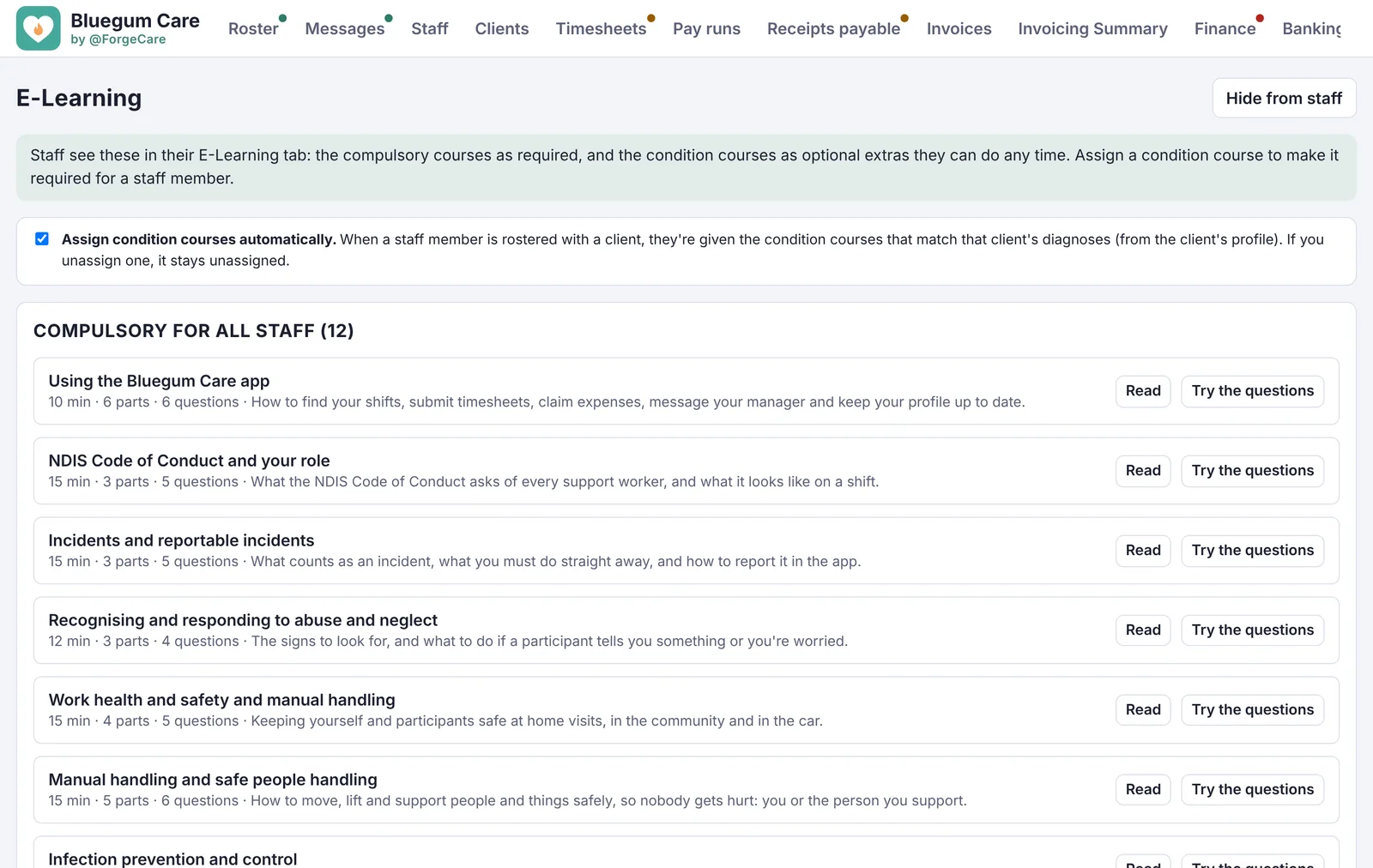
Training that's part of the job.
E-Learning. Compulsory courses for everyone, and condition courses assigned automatically when a staff member is rostered with a client who needs them.
- Short courses with questions at the end
- See who's done what at a glance
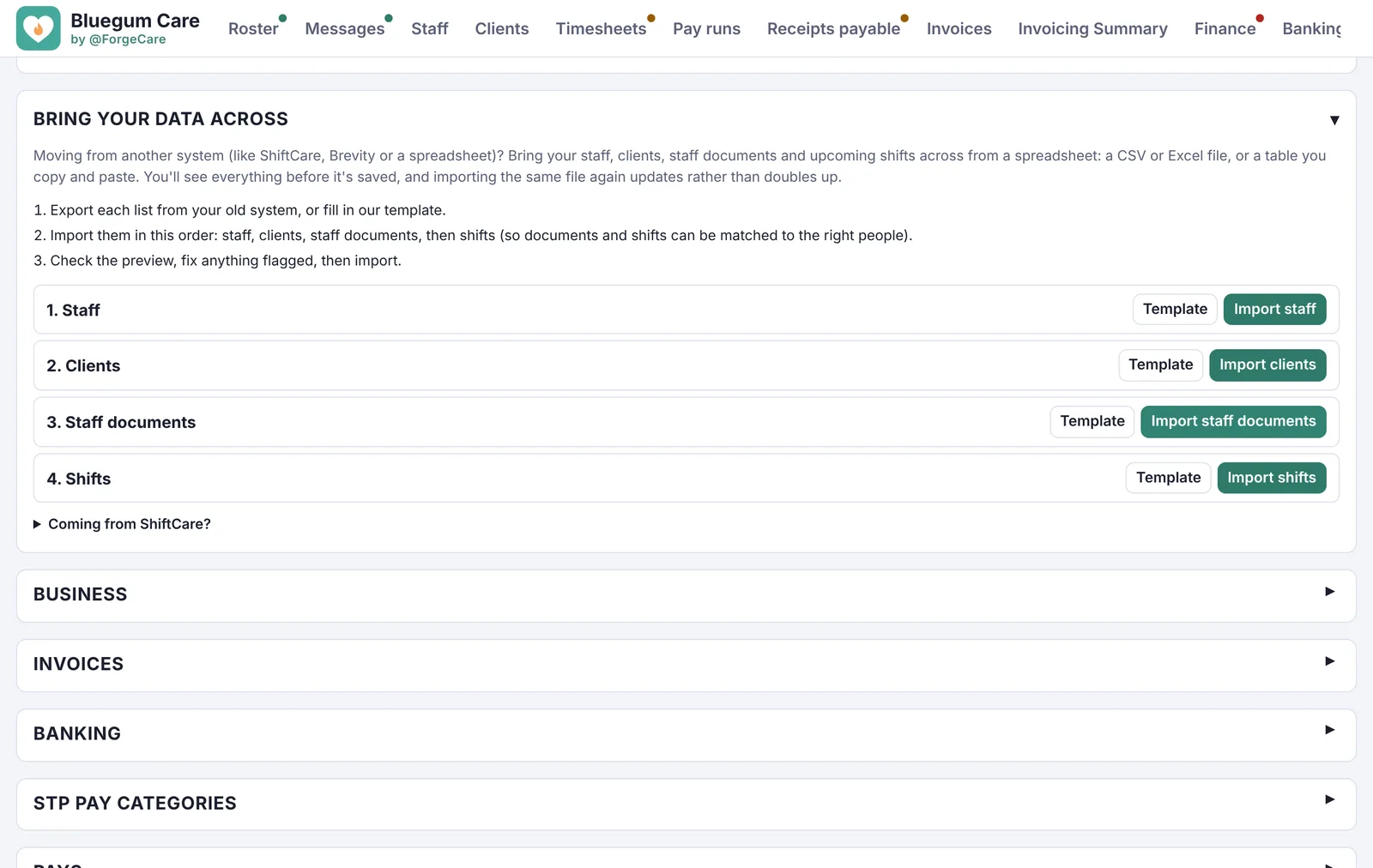
Bring your data with you.
Moving across. Import your staff, clients, staff documents and upcoming shifts from your old system or a spreadsheet.
- Upload a CSV or Excel file, or paste a table
- Check everything before it's saved
- A guide for moving from ShiftCare
Security you don't have to think about.
Security and your data. NDIS providers hold sensitive information about participants and staff. Forge Care is built to keep it safe, and to keep sign-in easy.
- Two-step sign-in (2FA) for owners and managers
- Face ID and passkeys for everyone, staff and clients included
- Automatic sign-out after 15 minutes of no use
- Role-based access: people only see what they need
How your data is protected
- Where it's kept
- In Australia, in Sydney
- On the way in and out
- Encrypted
- Backups
- Daily
- Other businesses
- Can never see yours. Each business is kept separate.
- Signing in
- Password plus Face ID, a passkey or an authenticator app for owners and managers
- Left signed in
- Signs out after 15 minutes
Try it with your own business
5 days free with everything included. After that your subscription carries on unless you cancel before the trial ends.
We're opening to providers soon. Register for early access and our first 10 providers get the founding price for 12 months.